SMS Consent & Verification
The exact SMS consent language and flow used inside the Meet Nova mobile app for one-time passcodes (OTP) and account security.
Last updated:
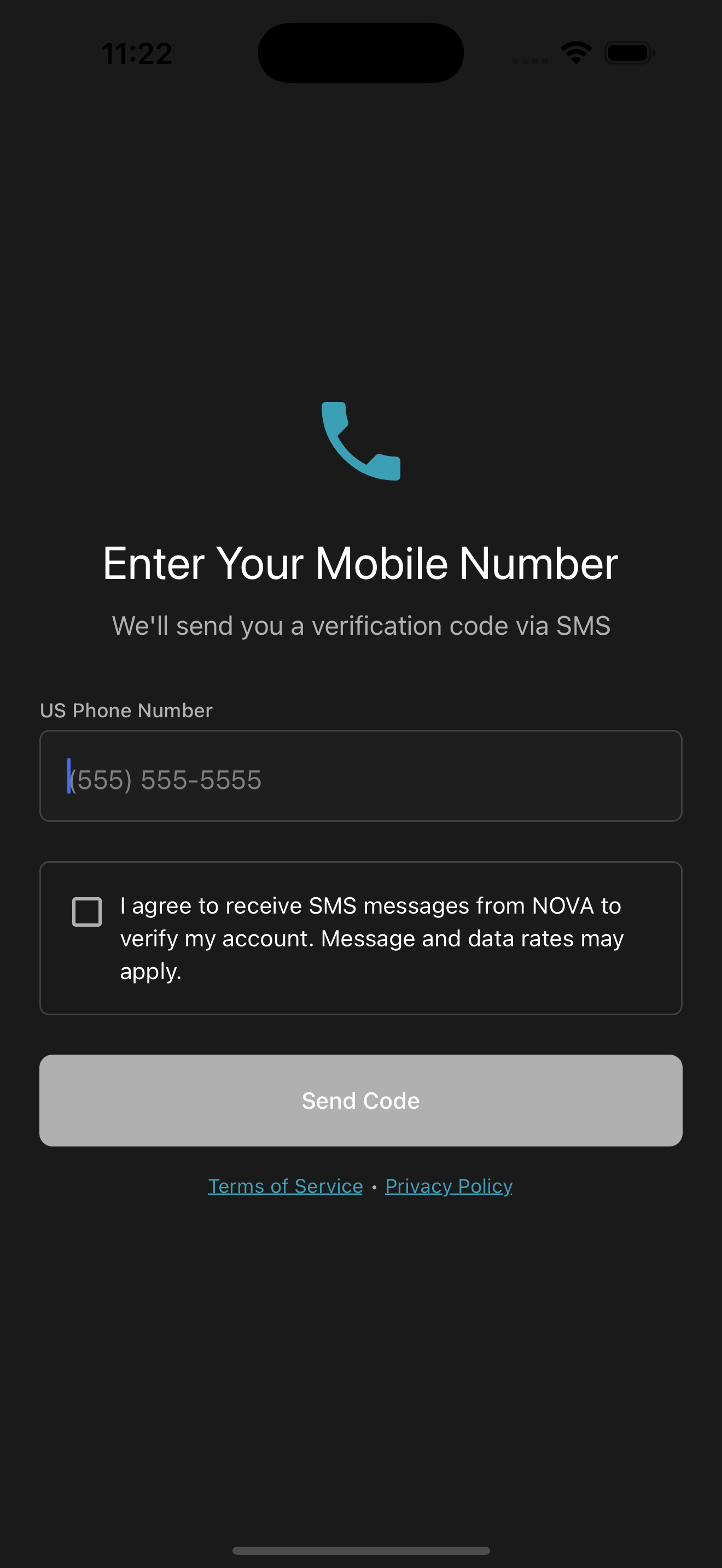
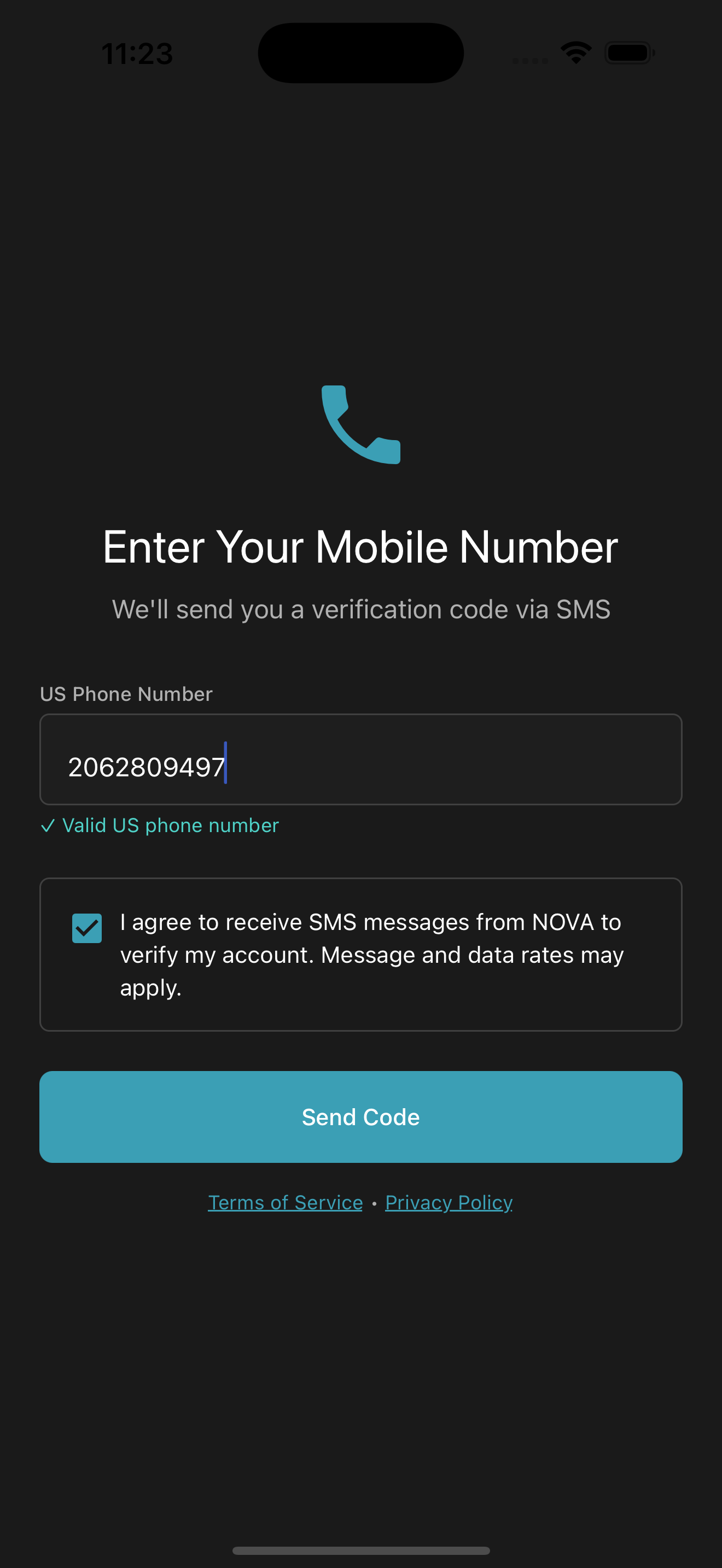
Exact consent text (as displayed in app)
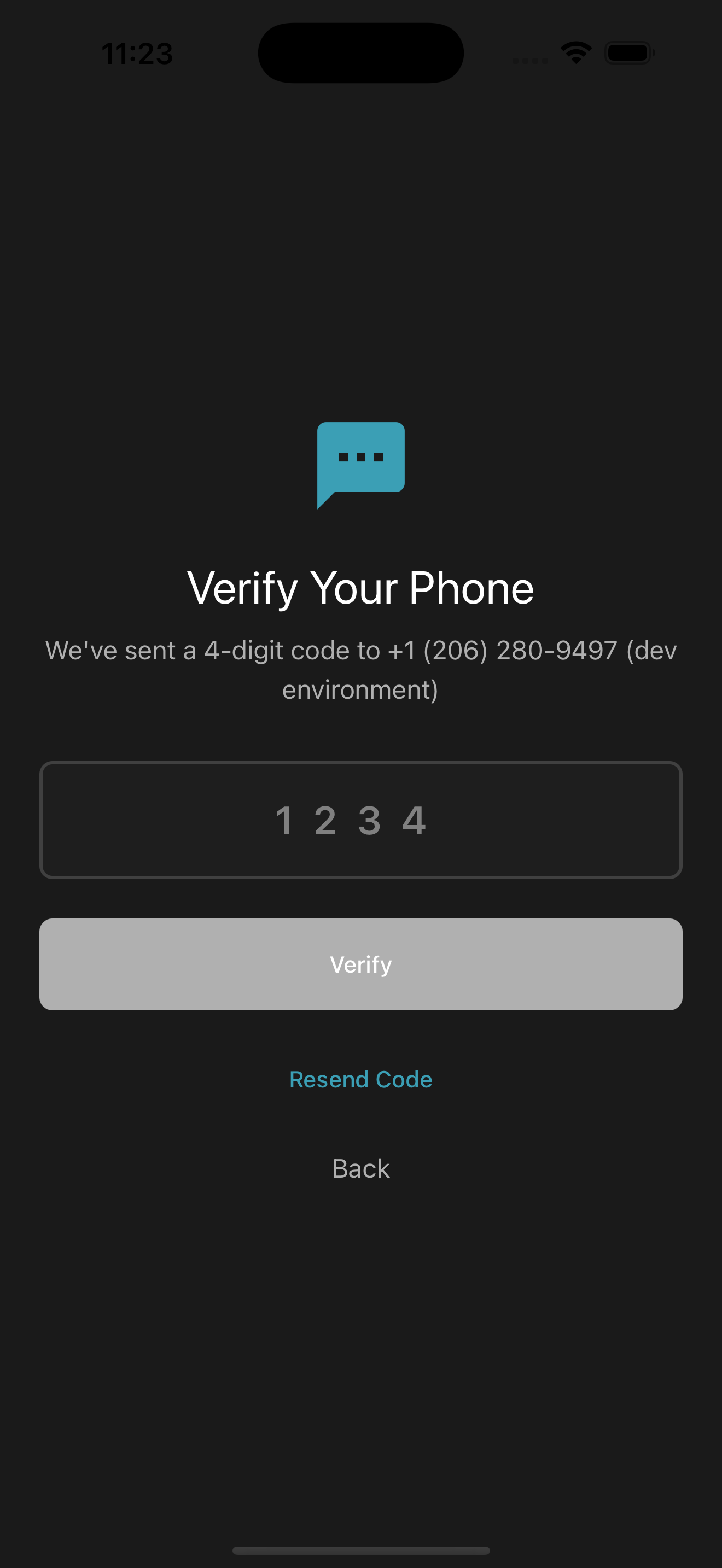
Screenshots of the in‑app flow
For reviewers: these screenshots show the phone number entry, consent checkbox, the Send Code action, and the OTP verification process.
Program details
Purpose
One-time passcodes (OTP) for login verification and account security. No marketing or promotional SMS.
Message frequency
Typically one message per login attempt or security event; frequency varies based on your activity.
Fees
Message & data rates may apply.
Opt‑out
Reply STOP to unsubscribe. Supported opt‑out keywords: STOP, STOPALL, END, QUIT, CANCEL, UNSUBSCRIBE, OPTOUT, REVOKE. To re‑enable, reply START, UNSTOP, or YES.
Opting out disables SMS-based login until you opt back in.
Help
Reply HELP or email support@meetnova.app.
Privacy
We will not share, sell, or rent your mobile phone number or SMS opt‑in data with third parties or affiliates for marketing or promotional purposes. See our Privacy Policy.
Sample SMS messages
- Meet Nova code: 123456. Expires in 10 minutes. Reply STOP to opt out, HELP for help.
- Meet Nova security alert: Your sign‑in was approved.